Instant COD Form
Manage your COD form without confusion.
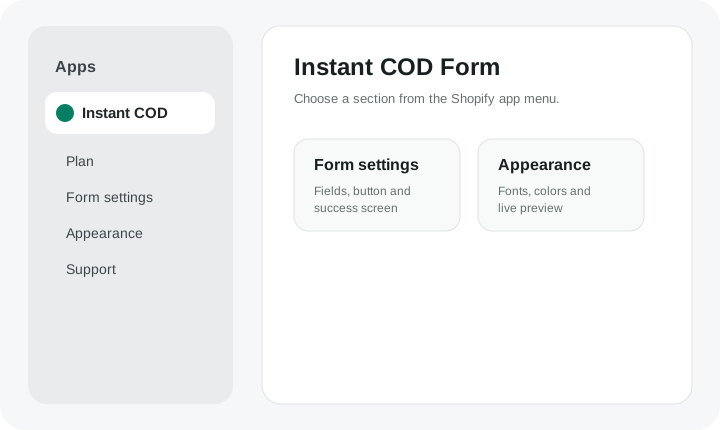
Use the app sections inside Shopify Admin to manage your form, appearance, plan and support. If your store is not connected yet, use the Installation Guide and Connect Store pages from the menu above.
PlanCheck usage and upgrade to Pro.
Form settingsChoose fields and storefront button settings.
AppearanceChange colors, fonts and live preview.
SupportContact support when you need help.
1. Use the Shopify app menu
Open Shopify Admin → Apps → Instant COD. Each important area has its own page.
- Plan for usage and Pro.
- Form settings for Buy button and customer fields.
- Appearance for popup styling.
- Support for help.
2. Build the form your store needs
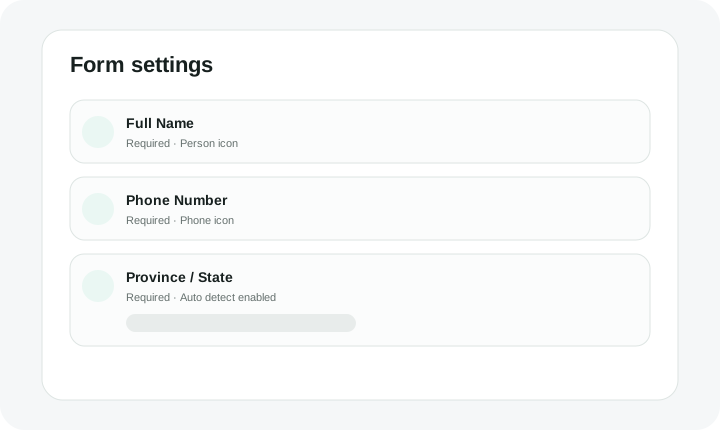
Choose customer fields, rename them, set required/optional/hidden, control icons and configure Province / State choices.
- Add fields in the exact position you want.
- Use live preview before saving.
- Save your changes.
3. New store installation
If Instant COD is not connected to your store yet, follow the dedicated installation guide. It lists every exact Shopify Dev Dashboard value you need.
Open Installation Guide